
As a business owner, you may be asking yourself, “What are the best apps to promote my business?” To promote your business, you need to make it easy for people to find you. That means using social media, search engines, and other websites to get the word out. But there’s another way that’s often overlooked — apps.
From marketing automation and scheduling to customer relationship management and sales tracking, apps streamline your operations and help your business grow faster.
Some of these apps are very simple, while others have complex features to help you manage your business.

11 Best Apps to Promote Your Business in 2022
1. Buffer
If you have several social media platforms, you know that engagement varies according to the times you post.
Buffer allows you to:
- Schedule posts across multiple social media platforms
- Track the engagement on each post
- Schedule posts in advance
- Monitor how many clicks
- Monitor the likes each post receives
In addition, Buffer keeps track of mentions, total followers, retweets, new followers, and shares. You will be better suited to know what kind of content your audience appreciates and generate more of those posts.
2. Evernote
Evernote is a note-taking app that allows users to create notes from information found on websites, pictures taken with their mobile device cameras, and voice recordings.
There are several ways you can use Evernote to promote your business:
- You can take pictures of receipts or important documents
- Jot down notes from meetings
- Record ideas as they come to mind
- Save links to articles that may be relevant to your industry
- Save pictures of new products or services
- Write down ideas for blog posts or articles
3. LinkedIn
LinkedIn is a social network for professionals, so it’s a great place to build relationships with other business owners and network with potential customers. You can use it to promote your business and to post updates about events or new products/services that may be launching.
LinkedIn helps you get noticed thanks to its publishing platform. The use of hashtags helps you get engagements from the community of professionals and influencers.
You can join LinkedIn groups, scout for your prospects, and send them personalized invites to your group. Your LinkedIn group enables you to promote your business to your prospective audience without any competition.
4. Trello
Trello is a project management app that allows you to create lists of tasks and set deadlines for each one of them.
It is an organizational tool that lets you manage projects and tasks from your phone or computer. It is valuable for managing multiple projects at once because it has different boards for different projects and tasks, making organizing each project much easier than having everything piled up in one place.
5. Twitter
Twitter is another social media platform where you share content from your blog or website in 140 characters or less – perfect if you want to get some quick exposure without spending hours working on longer pieces of content!
You need to build a profile that showcases your business. Your profile should be well optimized (with hashtags) and then actively engage with members by sharing interesting content, actively participating, and retweeting content to stay relevant.
You can also promote your business by creating a Twitter Ads account. This helps promote your content, and your Ads will show up as “promoted.”
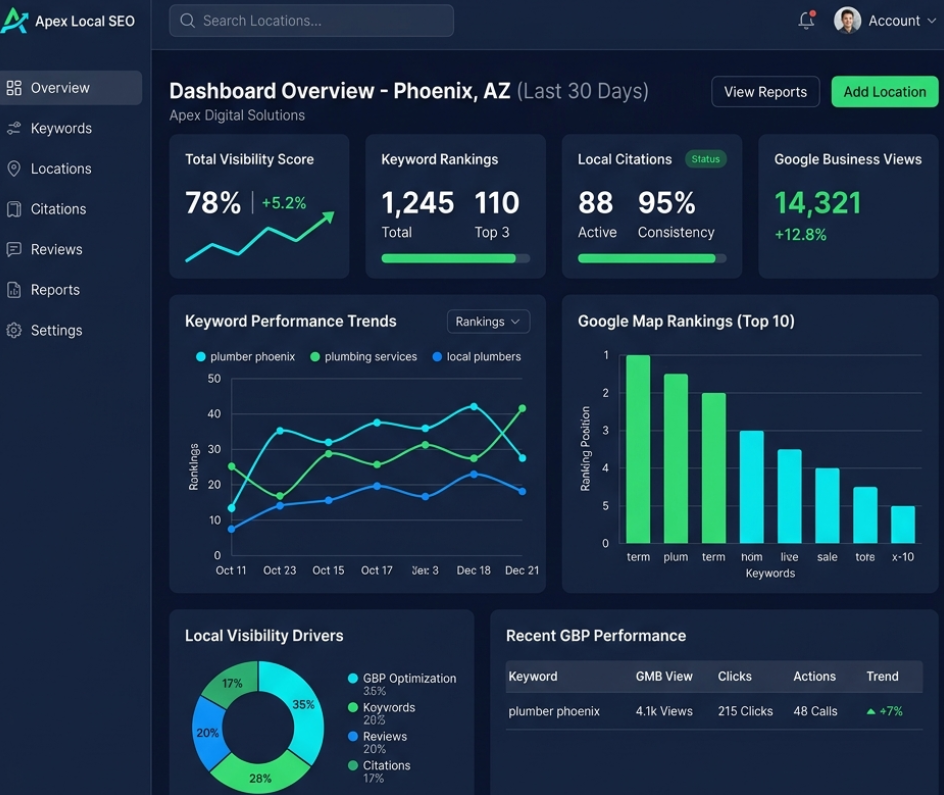
6. Google My Business
GMB is a free tool from Google that allows you to create an online profile for your business.
This profile shows up on Google Maps when people search for businesses in your area. It also shows up on other sites that use Google Maps as part of their interface.
When someone views your GMB profile, they’ll be able to see important information about your company, such as hours of operation and address details.
Your customers can check out photos and reviews from other users who have visited your store or restaurant before deciding whether or not they want to visit themselves. To market your business on GMB:
- Add photos of your business. If you don’t have any photos, add one of yourself or your staff member. Add as many as you can so that people can better identify with your brand.
- Write a clear and concise description of your services. This is the first thing people see when they search your company name, so make sure it is descriptive enough for them to understand what you do without having to click through any other pages on GMB.
- Add rich snippets in GMB that improve your chances of showing up higher in Google search results for certain queries, such as “best restaurants near me.”
7. Hootsuite
Hootsuite is a social media management tool that allows you to manage multiple social media accounts from one place. You can schedule posts for each of your profiles and then publish them at the same time to save time and effort.
Hootsuite also gives you access to a wide range of analytics, including real-time data on how many likes and shares your content receives as you promote your business.
8. MailerLite
MailerLite is a tool that lets you create professional-looking email newsletters without any design experience or coding knowledge required. With this app, you’ll be able to design emails that look great on mobile devices and desktops no matter what email service provider your recipients uses.
MailerLite is beginner-friendly with easy-to-use templates. You can customize it based on your needs, making it simple to start building beautiful emails in no time. You can start using the free plan option or the premium plan to send emails to your prospects as you market your business.
9. CanIRank
CanIRank is an SEO tool that helps you find keywords for your blog posts, social media posts, and website content. It also tells you how competitive each keyword is so that you can find ones with low competition that are easier to rank for. You, therefore, promote your business and your content appears on search engines.
10. Facebook
Facebook has more than 2 billion users and is a great way to advertise your business. With Facebook ads, you can target specific audiences based on location or interests, so you only pay for ads that will reach potential customers.
Facebook ads are easy to set up and use.
Create an ad in the Facebook Ads Manager tool and pay for it with your credit card or PayPal account. Your Ad will appear as “sponsored” to your targeted audience. You may also promote your business on Facebook groups and Facebook pages. To reach a wider audience
11. LastPass
If you use the internet, you know how many times you need to sign in to different platforms, and sometimes you may forget your password. You may even use the same password on different sites, making you vulnerable to cyber-attacks.
LastPass is a password manager that lets you store all your passwords and login information in one place. You can generate strong passwords and save them for each site you use, so you don’t have to remember them all yourself.
It’s easy to use, and the app has a mobile version for iOS and Android phones, so you can have control everywhere you are.
Final Thoughts on Apps to Promote Your Business
Apps are powerful marketing tools. They help you boost sales and exposure and increase customer loyalty and retention rates. They even help you find new customers.
SwingPointMedia is a marketing company focused on using content marketing, such as written articles, videos, and podcasts, to attract their customers’ ideal audiences. This approach has proven to attract higher-quality customers while simultaneously reducing the sales cycle by as much as 70%. SwingPointMedia serves local businesses in Southern California and can be reached by calling 760-422-5176. You are also invited to attend a free weekly presentation, providing you the tools and strategy to roll out your own content marketing program for your company or see exactly what SwingPointMedia does for its clients to achieve success. It can be viewed live on SwingPointMedia’s YouTube channel Wednesdays at 11 am pst.
FAQs
What are the best apps to promote a small local business?
- There’s no single best app; you need a small stack. For most local businesses that means: Canva for design, a social scheduler like Buffer or Meta Business Suite, an email/CRM tool like MailerLite or Mailchimp, Google Business Profile plus a review tool, basic SEO/analytics (Search Console), and a live chat or chatbot app to catch leads.
Which free apps can I use to promote my business?
- You can get far with free or freemium tools: Canva (design), Meta Business Suite (Facebook/Instagram scheduling), Google Business Profile (local visibility), Google Search Console/Analytics (SEO and traffic), and entry-level plans of MailerLite or Mailchimp for email. As results and revenue grow, you upgrade the pieces that hit limits first.
Do I really need multiple apps, or can one “all-in-one” tool do everything?
- All-in-one tools are getting better, especially as they add AI. They’re convenient but can be weaker in specific areas than dedicated apps. A pragmatic approach: use one platform as your core system of record (CRM/email) and connect a few best-in-class tools around it, instead of trying to force one product to do everything imperfectly.
What apps do I need first if I’m just starting out?
Start with a minimum viable stack:
- Google Business Profile,
- Canva for basic design,
- Meta Business Suite or Buffer for social scheduling,
- one email/CRM tool.
This gives you visibility, content, and follow-up. You can layer in reviews tools, SEO apps, and chat/AI once your basics are consistent.
How do AI tools fit into marketing apps?
- AI is moving from “extra” to “built-in.” Many marketing apps now include AI assistants for writing copy, generating images, summarizing analytics, and recommending next actions. On top of that, general AI tools (like ChatGPT-style assistants) can help you brainstorm content, draft campaigns, and analyze performance data without hiring extra staff.
Are productivity apps like Evernote or Trello really “apps to promote my business”?
- Not directly. They don’t put your message in front of customers; they help you organise and execute marketing work. Think of them as supporting tools. They’re worth using, but your promotion stack should be built on apps that actually create, publish, capture, and measure customer-facing activity.
How do I know if I’m using too many marketing apps?
- You’re using too many when: no one can list all the tools you pay for, people constantly copy-paste data between systems, and you see subscriptions on your bank statement that nobody logs into. A simple rule: if a tool isn’t used weekly and doesn’t clearly help generate or retain revenue, put it on your “cancel or replace” list.
What’s the difference between a marketing app and a CRM?
- A marketing app usually focuses on one channel or task (email campaigns, social scheduling, SEO). A CRM is a system of record for your contacts and deals. Many modern CRMs now include marketing features (email, forms, chat, sometimes social), so they blur together—but the CRM’s main job is to keep track of relationships and revenue.
Which apps help most with online reviews and reputation?
- For most local businesses, Google Business Profile is the foundation. You can then add Yelp for Business, TripAdvisor, or niche directories depending on your industry. Reputation platforms can streamline review requests and responses by integrating with your CRM or POS and automating text/email review invites after visits or purchases.
How often should I review or change the apps I use?
- Review your stack at least once a year, and more often if you’re scaling quickly. Check which apps are heavily used, which are under-used, where you’re double-paying for similar features, and what new AI capabilities your existing tools have added. Aim to simplify, not expand, unless a new app unlocks a clear revenue or time-savings advantage.